
- Type
- Personal project
Project info
Overview
Put the whole studio on one screen, let AI do the reading and the drafting, and keep every send in Justin’s hands.
01
The situation
A one-person studio still has a full pipeline. For Justin that means client builds in progress, retainer clients, open leads, a cold outreach list, a warm list of people he already knows, and 2 inboxes where the replies land. Each of those lived in its own tool, and the follow-ups lived in his head.
Outreach ate the most time. Every cold email needs a look at the business’s site, a real reason to write, and a mockup worth attaching. Then someone has to remember the follow-up 4 business days later, and know when to stop.
02
What we set up
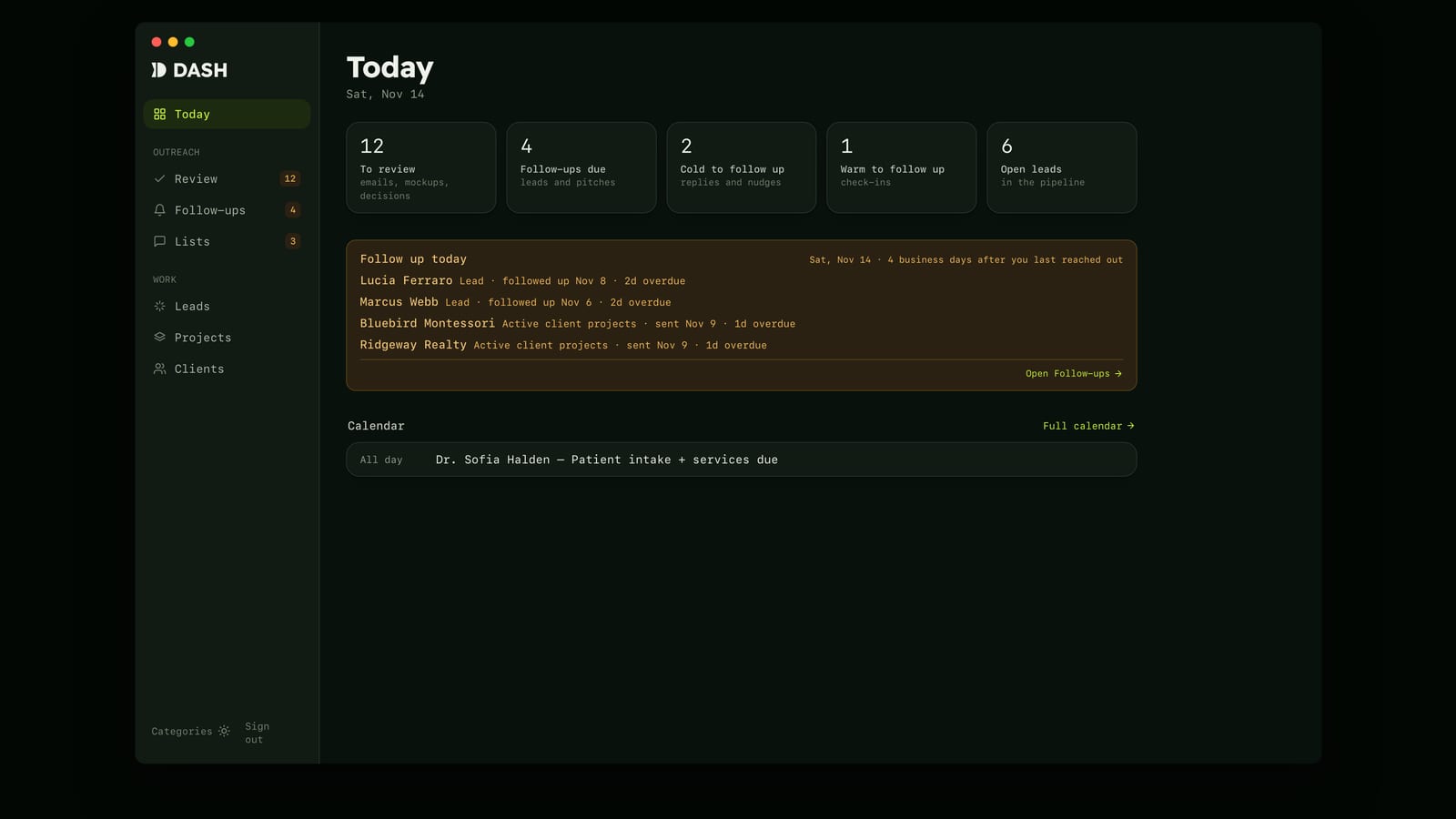
Dash is one Next.js app on Vercel, behind Google sign-in, built with Claude Code. It opens on Today: what’s waiting for review, which follow-ups are due, open leads, and the day’s calendar.
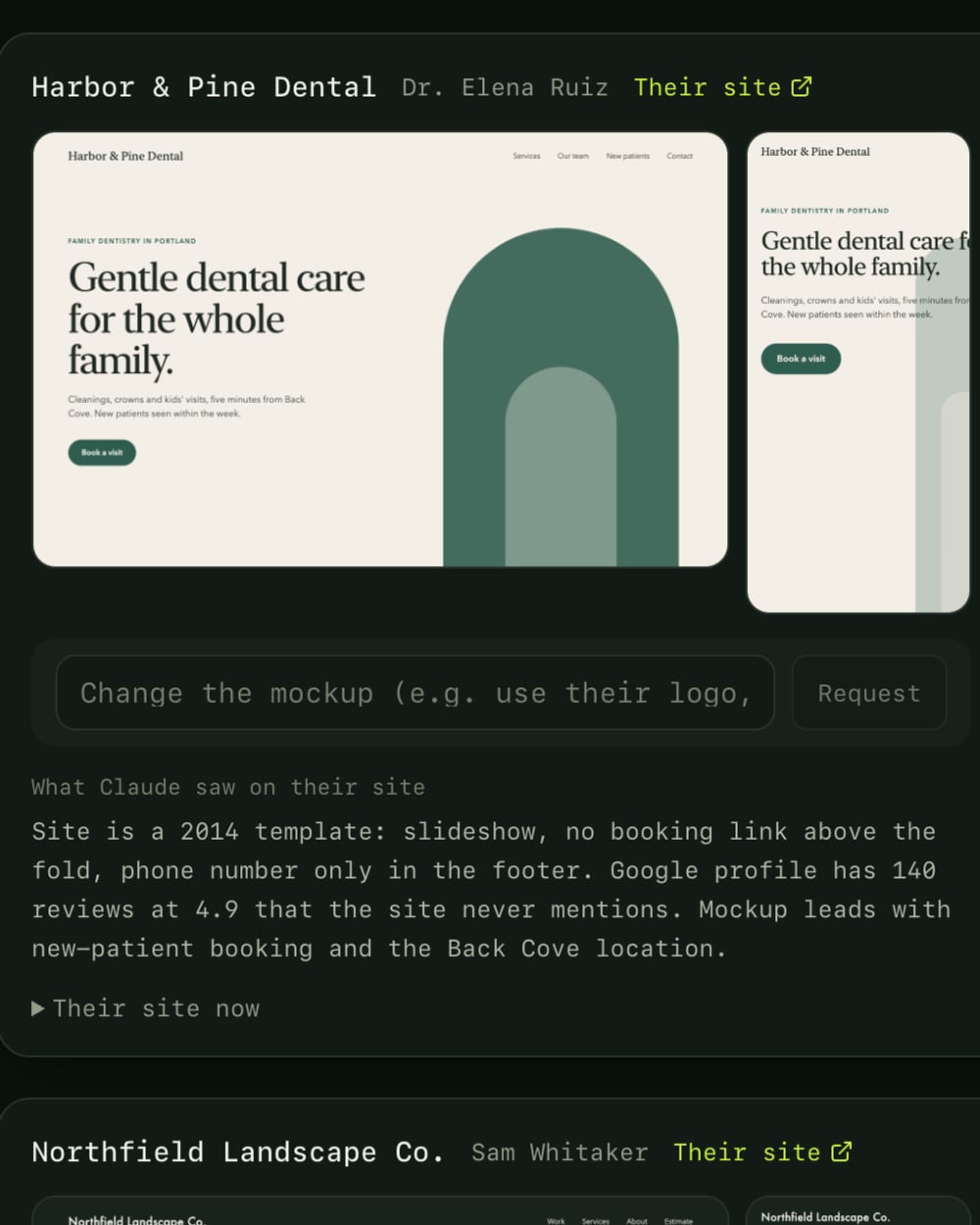
Review is where the AI work lands. Overnight, a task on Justin’s Mac reads each business’s site, notes what it saw, and renders a homepage mockup. In the morning each draft sits beside its mockup and that note, and he approves it, edits it, skips it, or asks for a change to the mockup.
Warm check-ins start from the same page. Justin picks who’s next, and Claude reads their past threads in both inboxes and their homepage, then drafts a note in his voice.
Nothing sends until he approves it. Approved emails go into a queue that Vercel Cron works through in the background, a minute or two apart, weekdays only, and never more than 10 cold emails a day. Before a first email goes out, Dash checks both inboxes for an earlier thread with that person and stops if it finds one.
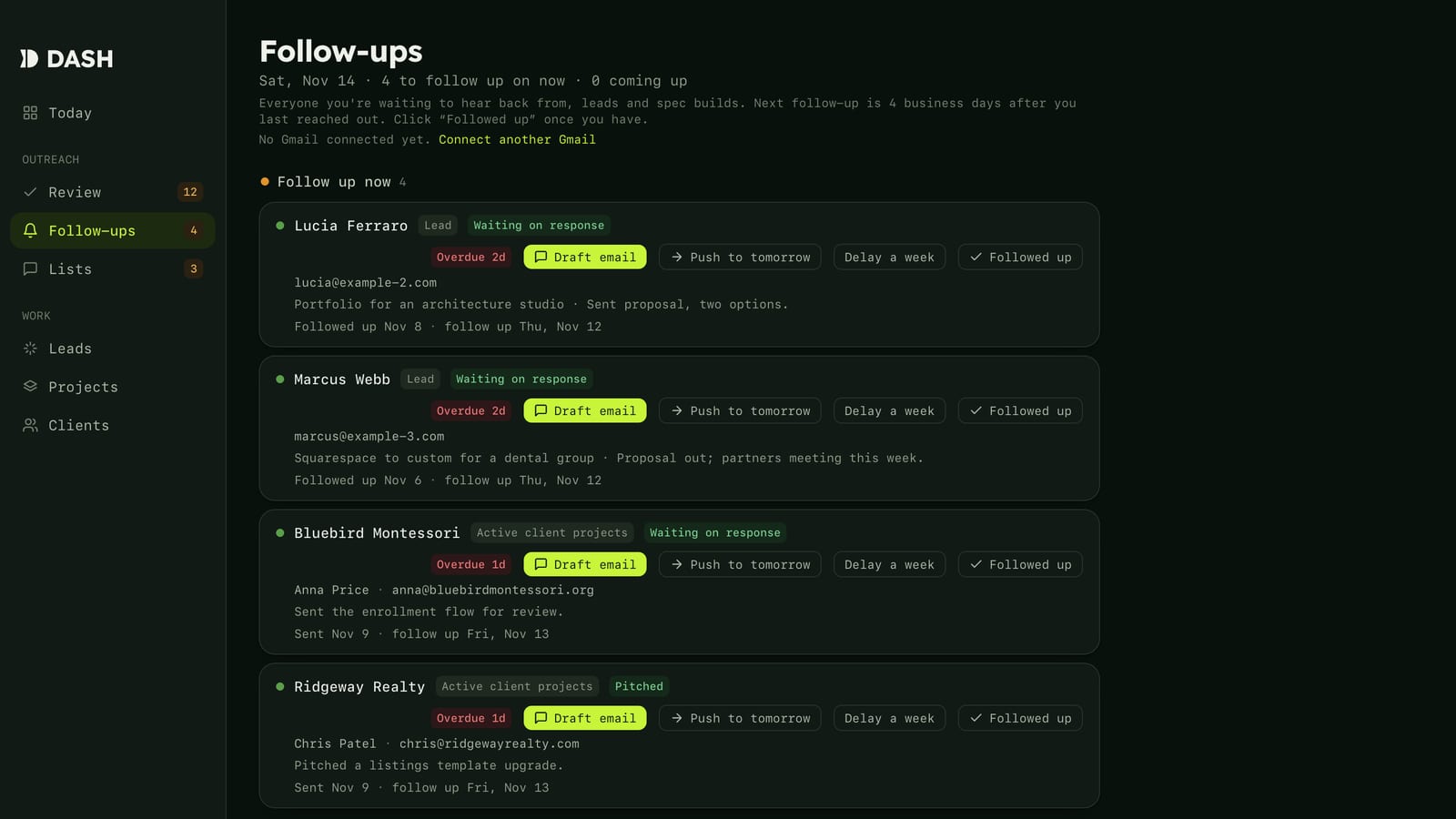
A tracker reads the threads twice each weekday. A reply moves the person to Follow up, a “no thanks” closes the row and drafts a short closing note, and a request to talk shows up as a suggestion he can accept or dismiss. Meetings in Granola count as contact too.
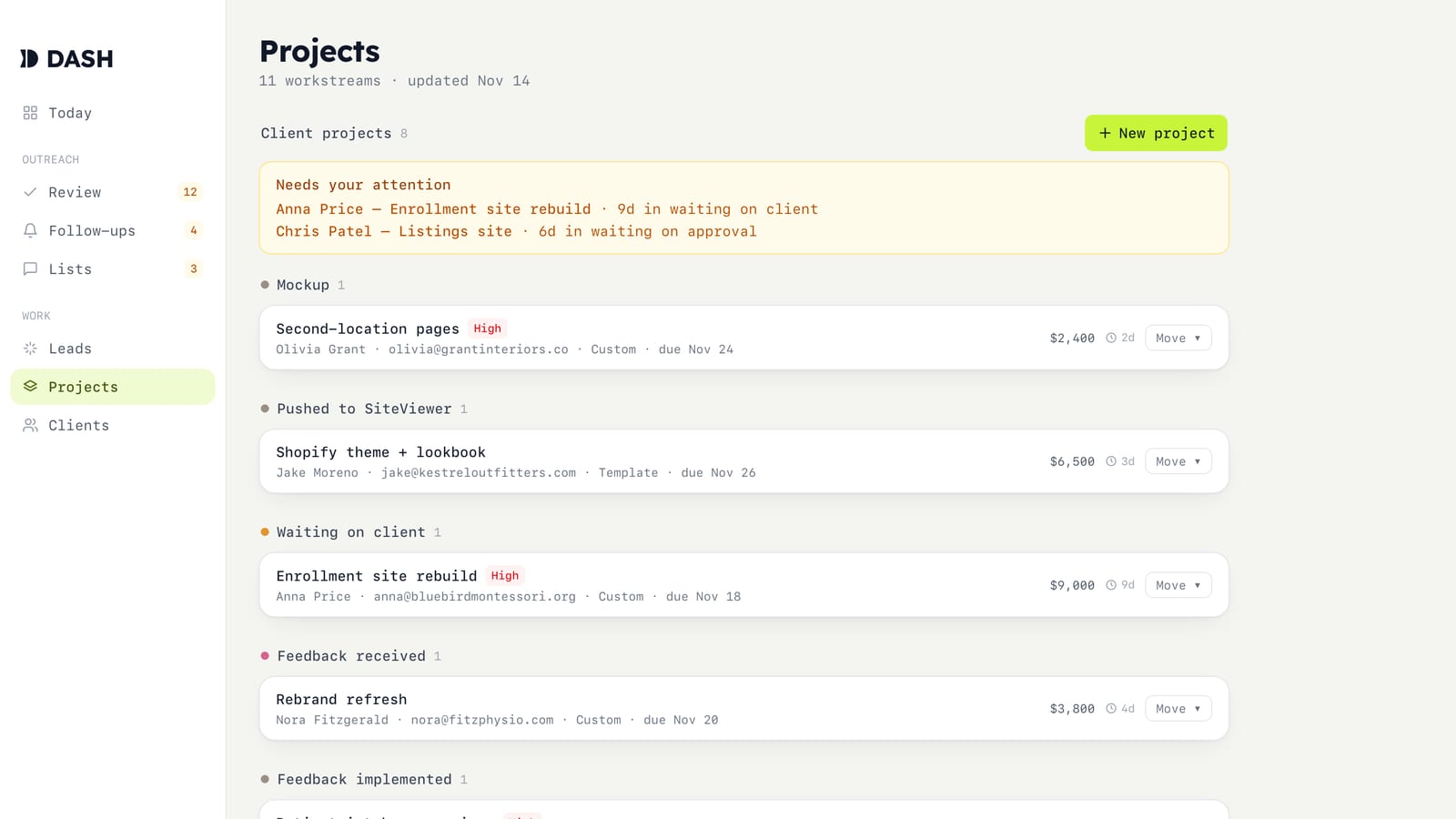
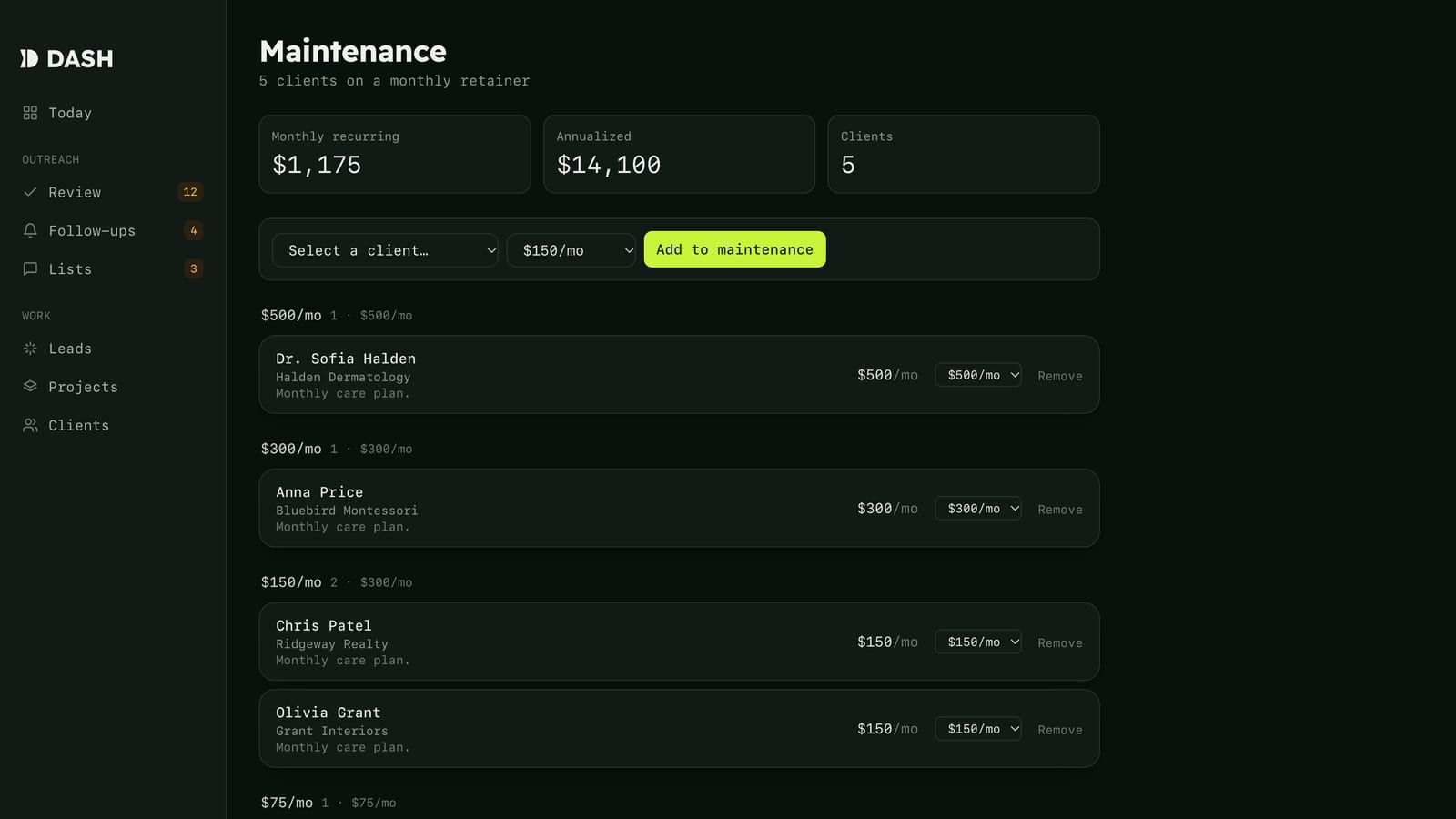
The studio side lives here as well: a client project pipeline that logs every stage change, a maintenance page that totals monthly retainer income, and a calendar that merges project dates with Google meetings. It runs as a Mac app, too, a small Electron shell around the live site with a Dock badge for what’s waiting in Review. The badge hides on weekends, since nothing sends then.
Dash got a brand of its own: Readex Pro for headings, the Mac’s own monospace for everything else, electric lime on a near-black green, and a mark built from a notched stem and a half disc. Both fonts carry metric overrides, so text sits centered in buttons and badges.
03
Where it landed
Dash is now the only record of Justin’s outreach, and the old list page it replaced is retired. Mornings start in one place: look over what the night produced, approve what’s right, and let the queue send through the day.
AI takes the reading, the drafting, and the remembering off his plate. Who gets an email, and what it says, stays with Justin.
Bring the task, the team, or the question. We will find the smallest useful place to begin.